For broadcast, live events & theatre

Build the show before the kit arrives.

Lay the entire rig out on screen weeks before anything is racked. Pre-build your ATEM Constellation while it is still in the flight case. Then, on show day, drive the real hardware from the same window.

macOS & Windows  ·  works fully offline  ·  in beta — not released yet

Show Overview — SchematicLive
BMD URSA G20 in · 1 outCAM 1GFX laptop0 in · 1 outGFXZoom laptop1 in · 1 outZOOMVideohub 40x4040 in · 40 out1CAM 12GFX3ZOOMPGMMVRECATEM 4 M/E20 in · 6 out1CAM 1PGMRECHyperDeck HD4 in · 2 out1REC APanasonic laser2 in · 0 out1SCREENMultiView16 in1MVCAM 11CAM 1PGMMV1CAM 1PGM1MV1SCREENRECDeck B4 in · 2 out1REC B

How it works

Plan it, draw it, then run it, all from one set of devices.

Most tools do one of those three. PatchHub does all three from the same rig, so the plan, the drawing and the live hardware cannot drift apart.

01Plan

Build the show before the kit arrives

Lay the whole rig out on screen weeks before a single box is racked: routers, patchbays, switchers, converters, projectors, laptops. None of it has to be plugged in, and none of it has to be bought yet.

Pre-build Constellations

Configure an ATEM completely while it is still in the flight case, down to the auxes, the multiviewer and every label. On show day, one press puts all of it on the real thing.

Fit the cards, the I/O follows

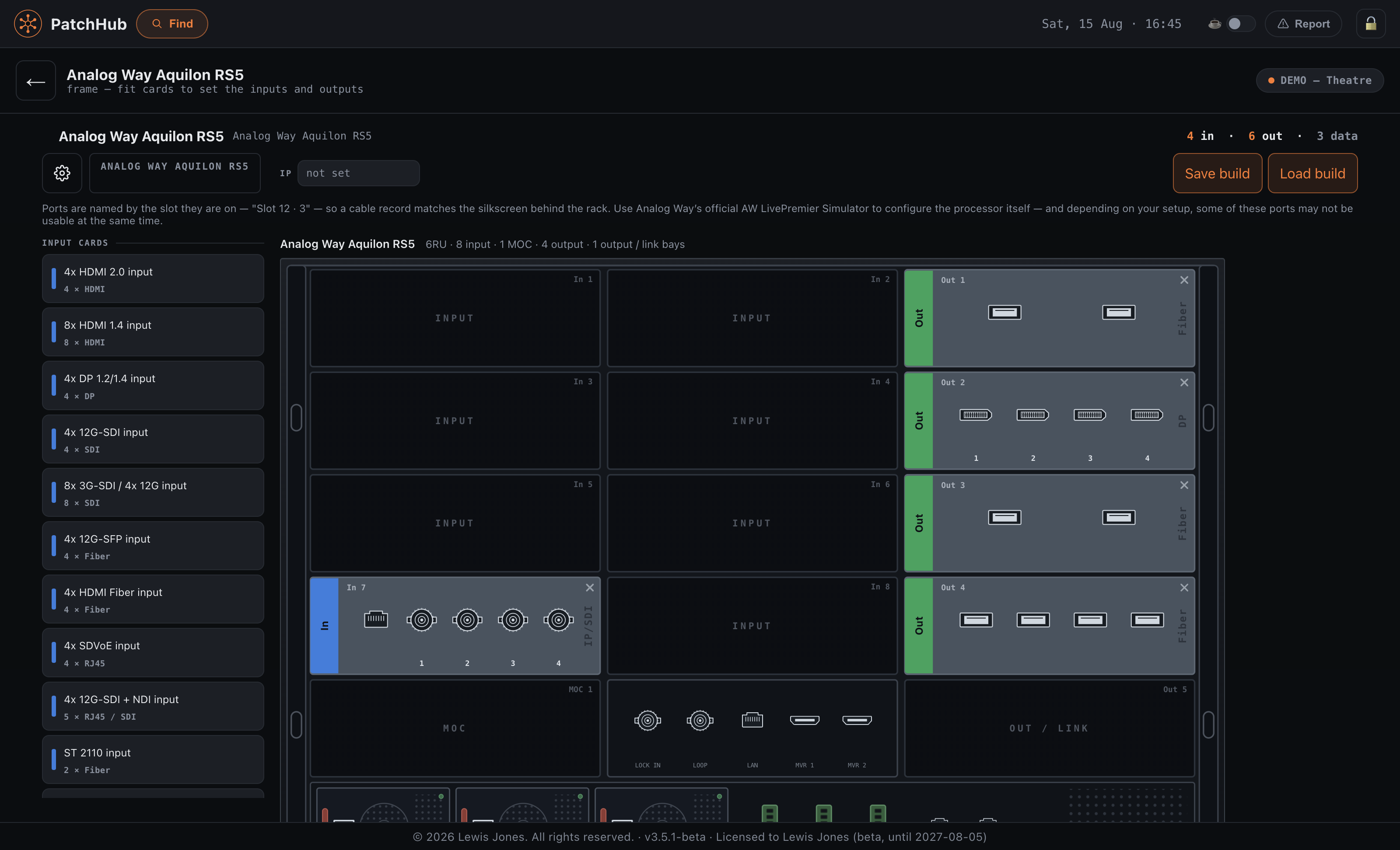
A Barco Event Master or an Analog Way Aquilon arrives as an empty chassis and its page is a drawing of the real rear panel. Drag cards into the bays and the inputs and outputs appear — refusing the ones the frame would refuse. Save a build and recall it on the next show.

Real models, not rectangles

Add a Barco PDS-4K or a Roland V-160HD and it arrives with the right I/O already on it, including which inputs are HDMI and which are SDI. The port lists come from the manufacturers’ own spec sheets.

02Draw

A schematic drawer that knows what it is drawing

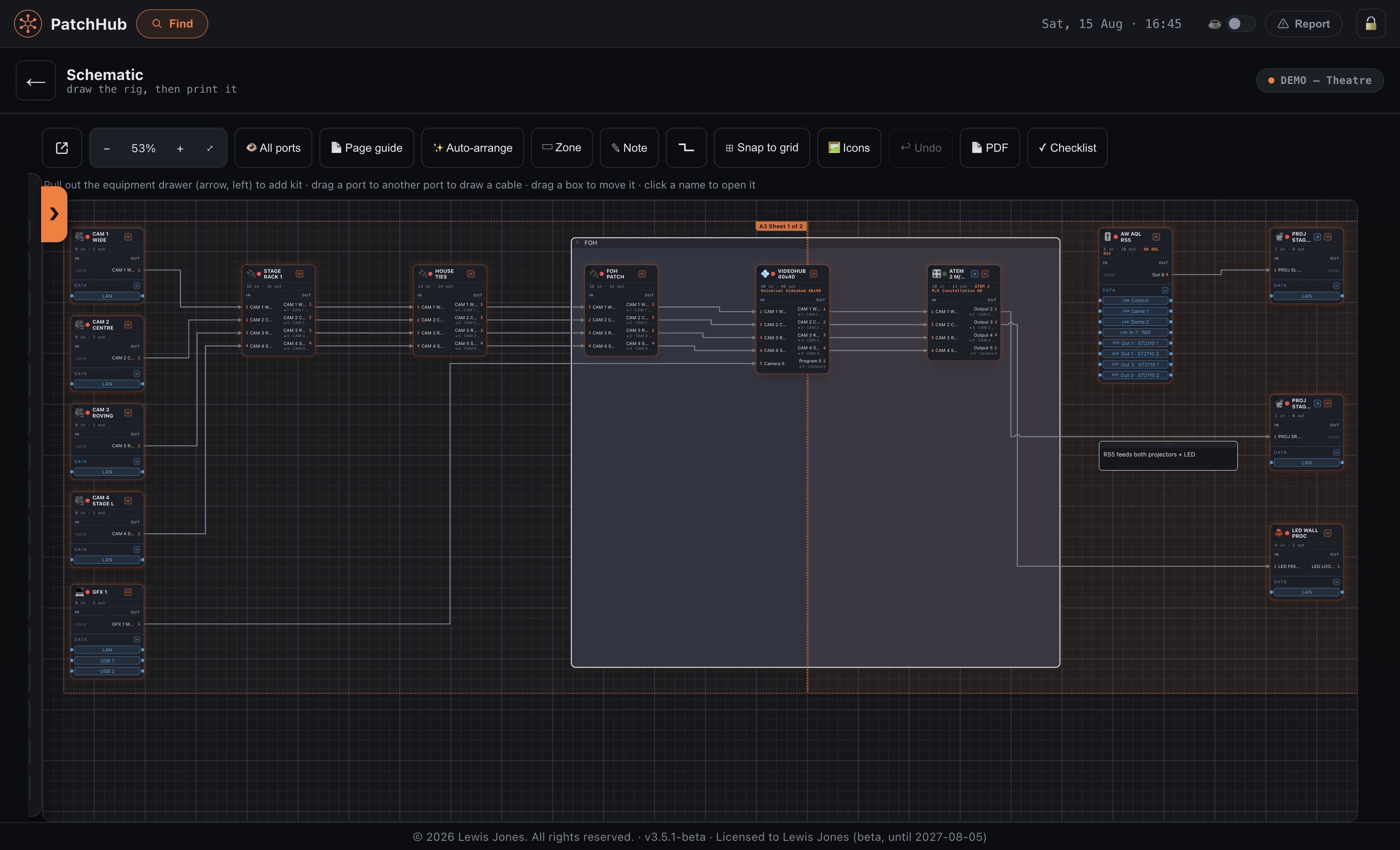
Every block on the drawing is a real device with real ports, so the schematic cannot disagree with the rig it describes. Auto-arrange fits the layout to your paper size, ready to export.

Patch Sync

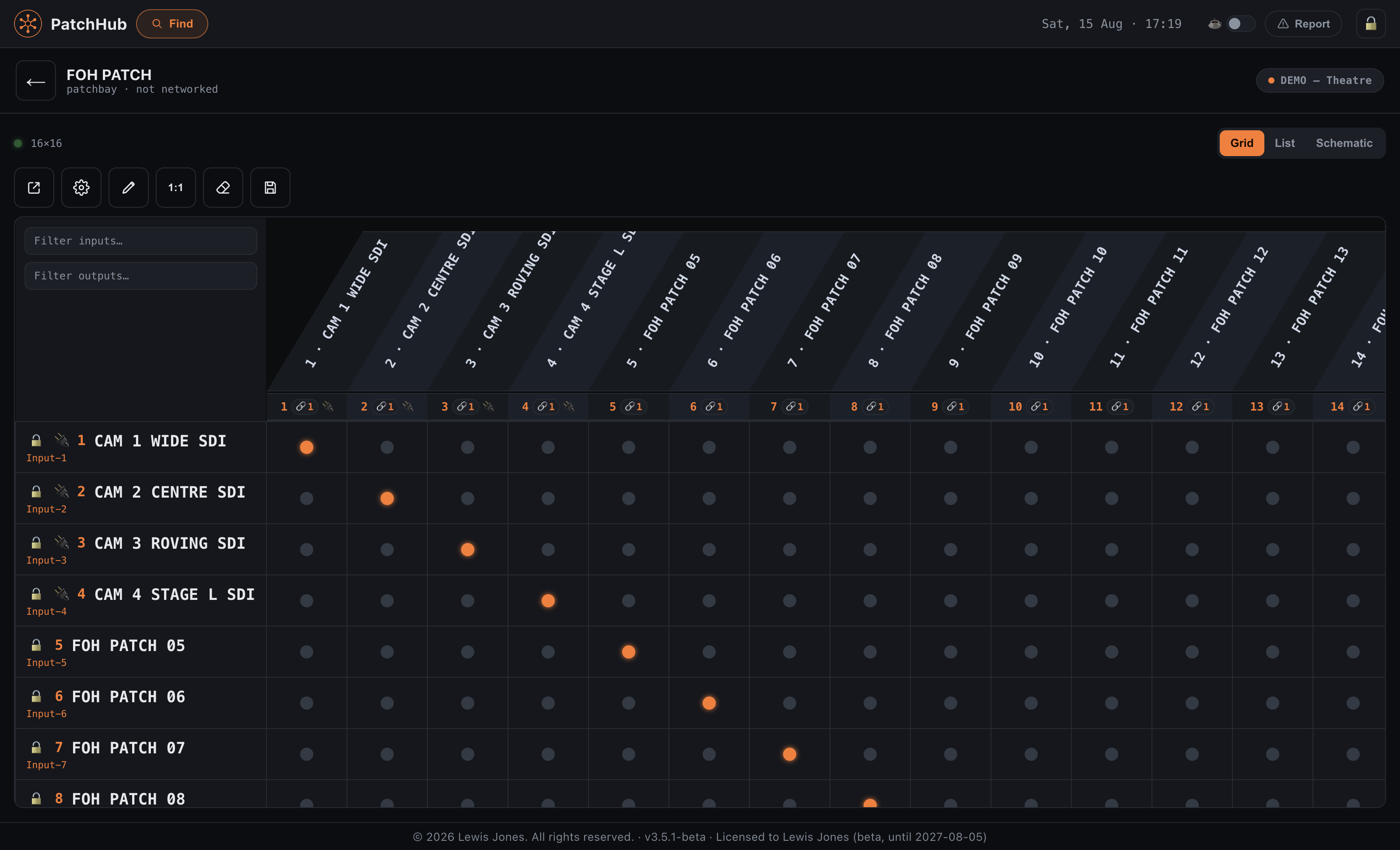
Name a source once, and that name follows the signal through every patchbay, router and converter it touches.

Draw it the way you think about it

Ring an area as a zone, label it, and group the lot so it moves as one. Cables route themselves round the kit rather than under it, and anything you fold away keeps its connections.

Hand it over

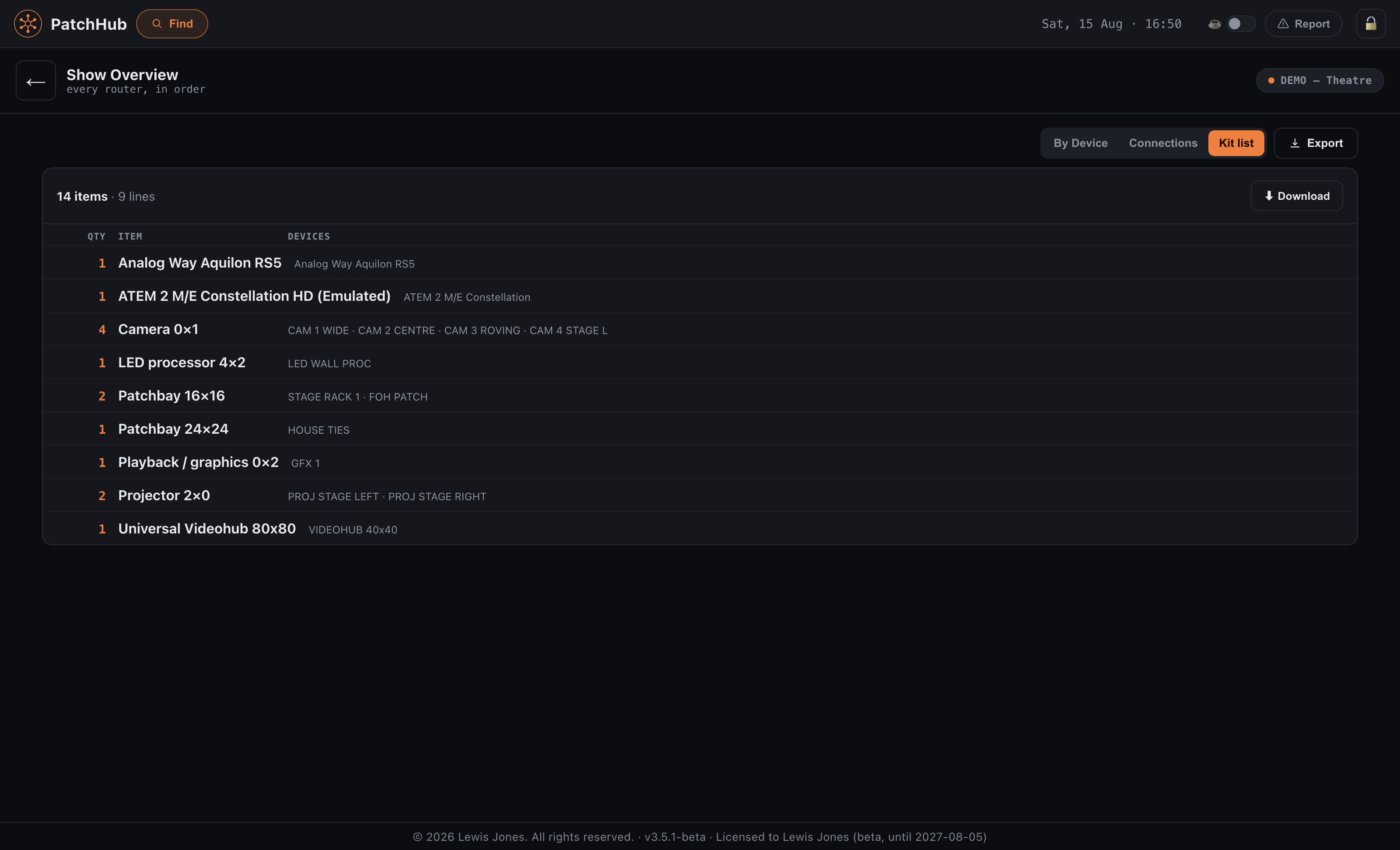
Send it out as a PDF or an Excel sheet, as a kit list with quantities, or as a live read-only link that anyone can open in a browser.

03Run

Then drive it for real

When the kit arrives, the same screen that planned it now controls it. Routers, switchers and projectors sit in one window instead of one app per box, talking to Blackmagic Videohub, ATEM and PJLink over their real protocols.

Crosspoints, labels, locks

Change them live across the whole rig, then set the patch lock so nobody moves a route mid-show.

Every projector, one button

Panasonic, Epson, Christie and Barco all speak PJLink, so PatchHub drives the lot: close every shutter for the reset, power the room down at the end of the day, or take one unit on its own. It reads them too — lamp hours, the input each one is on, and a temperature or filter warning while it is still a warning.

Show Day

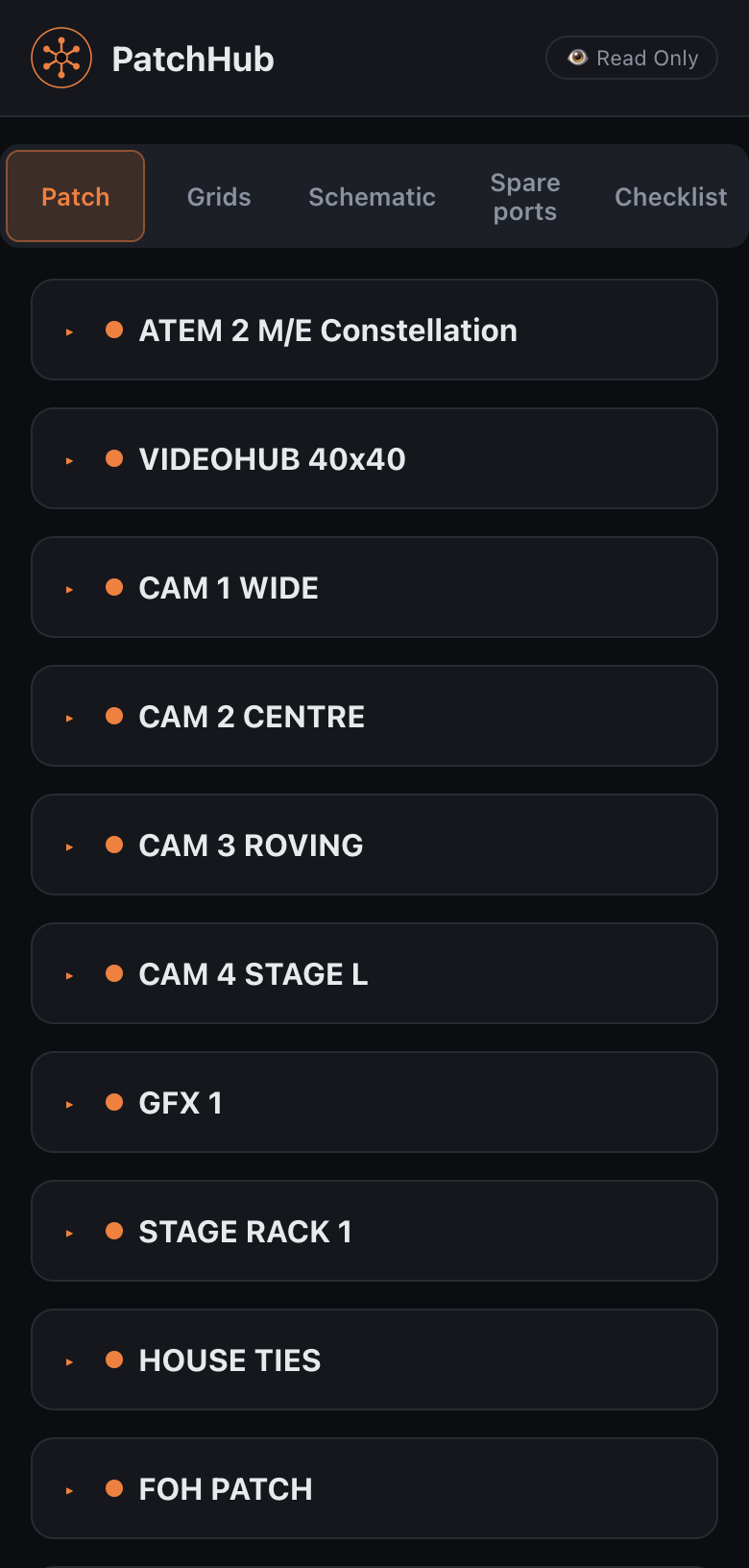
One screen for the day itself: the patching checklist, the read-only link for the crew, the projectors, and a shortcut to every piece of kit the app can actually talk to.

Record and deliver

One master REC rolls every HyperDeck and AJA deck at once. You get a take sheet, markers on a hotkey, and an edit-ready project built from any take.

Supported kit

Real devices, with the I/O the manufacturer actually shipped.

PatchHub drives Blackmagic Videohub and ATEM live, over their own protocols. Everything else it documents, draws and exports, whether or not the box can be controlled at all.

Drawing & cable tracking

Useful long before anything is plugged in.

You do not need a Videohub, an ATEM, or a single controllable box. Used purely as a drawing board, PatchHub holds the rig, every cable run and the paperwork in one file, and prints a sheet a crew can follow at four in the morning. It is the same job whether the racks are in an OB truck, a theatre's dimmer room or the back of a conference hall.

Schematics

Draw the rig, then print it

Drag kit onto the canvas and draw cables port to port. Lines are kept apart so each one can be traced by eye, and the drawing is laid out to fill the paper rather than sitting in a corner of it. Add zones, notes and labels where the drawing needs explaining.

Patch panels

Follow a signal through the panels

Record what lands on every panel port, under the ID engraved on the metalwork rather than a number the app invented. In a theatre that means the house tie lines, the wall boxes and the FOH run stay documented between productions instead of living in one person's head.

OB trucks

Know where every cable went

Track a run from the camera position, through the tie lines and the OB truck's panels, to the port it lands on inside. Print it for the tape, or share a read-only page the crew can open on a phone from the compound.

Pricing

Two apps. Bought once, not rented.

PatchHub is the whole thing: plan the rig, draw it, then drive it. TakeHub is the recording half on its own. Neither is a subscription, and neither depends on a licence server that could go down mid-show.

Not released yet. PatchHub is still in beta with a small group of testers. The prices below are what it will cost when it goes on sale, and the trial is the complete app rather than a cut-down one. Both the download and the checkout will appear here the day they are ready.

Trial
Free · 7 days

Either app, with a watermark on exports.

  • The complete app, nothing held back
  • Real hardware or the built-in emulators
  • No card, no account
Coming soon
PatchHub
£100 + VAT

One-off. Locked to one computer. Price when buying opens.

  • Plan, draw and drive the whole rig
  • Videohub and ATEM, live
  • Schematic, kit list and Public View
  • Recording included
Coming soon
TakeHub
£50 + VAT

Recording only, for when all you need is the decks. In development.

  • Master REC across every deck
  • Take sheet, markers, pre-flight check
  • Edit-ready projects from any take
  • Pull the files off the decks
Coming soon

Your key is tied to one machine, which is how PatchHub can check it with no internet connection at all. That matters in a rack room. If you change computer, email us and we’ll reissue it. Prices exclude VAT; whatever VAT or sales tax applies where you are is added at checkout.